
If you visit Rocket Ranker more often, then you might be aware of our freelancing activities and income. We have been offering some SEO and link-building services to clients globally and receive payments via Payoneer.
In fact, I have personally been using Payoneer for more than 4 years now and have received thousands of dollars into my local bank account via Payoneer.
So, if you are someone who is looking forward to using Payoneer, then this Payoneer review article is only for you.
In this post, we are going to cover everything about Payoneer in depth. Right from its account creation process to verification, generating invoices, and everything in between.
Make sure to read this blog post until the end, as it will be very in-depth and cover Payoneer from all sides.
What will this review on Payoneer cover?
My personal experience with Payoneer, the account creation process, the Payoneer dashboard overview, how it works, Payoneer fees, and a lot more.
Affiliate disclosure: We have not partnered with Payoneer for any kind of affiliate activity or income. The blog is solely written for educational purposes and will not generate any source of income for us. It does not contain any affiliate links for now.
1. What is Payoneer and who is it for?
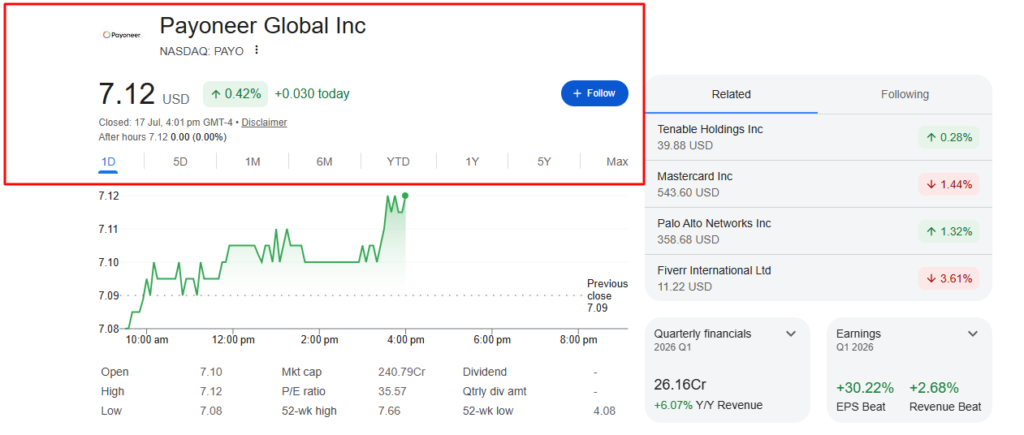
Payoneer is a NASDAQ-listed company (ticker: PAYO) that crossed $1 billion in annual revenue in 2025 and processed $87 billion across 190 countries. It is not a scam. What it is — and what most reviews get wrong — is a platform that is genuinely excellent for one specific use case and genuinely frustrating for almost every other one
a. Why does the NASDAQ listing matter?
A publicly traded company which is listed on a major stock exchange in the USA must file quarterly financials with the SEC, maintain all accounts, and follow strict corporate governance standards.
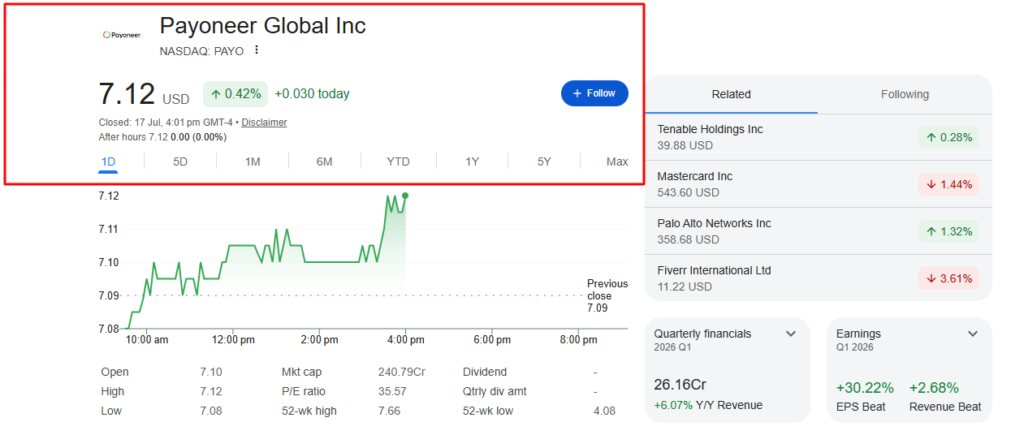
This means Payoneer’s financial health is fully transparent and publicly verifiable in a way that a private fintech company’s health is not.
Also, being a publicly traded company makes Payoneer fully liable to be transparent and follow ethical business standards for its customers and stakeholders in general.
b. What is Payoneer actually?
Payoneer is a global payment solution that gives users local bank account details in up to 9+ currencies like USD, GBP, EUR, CAD, AUD, JPY, SGD, HKD, MXN, and more, which clients and marketplaces can send money to as if they are making a local bank transfer.
Then a user can withdraw this money from the Payoneer account to their local bank account automatically. Also, if an existing client already has a Payoneer account, they can make a direct Payoneer-to-Payoneer transfer.
c. Who is it built for?
Payoneer is built for freelancers who want to withdraw money from Upwork, Fiverr, and other freelancing portals.
It can also be used by bloggers, online business owners, and affiliate marketers who want to get payments from platforms with Payoneer as a native payout method.
General users and the public can also use Payoneer, but it is mostly suited for people with online income.
d. Who is it not built for?
Although Payoneer is built for everyone, someone who does not want to receive cross-border payments, international payments, or online payments can avoid it.
2. Signing up process and getting verified
a. Sign up via Gmail
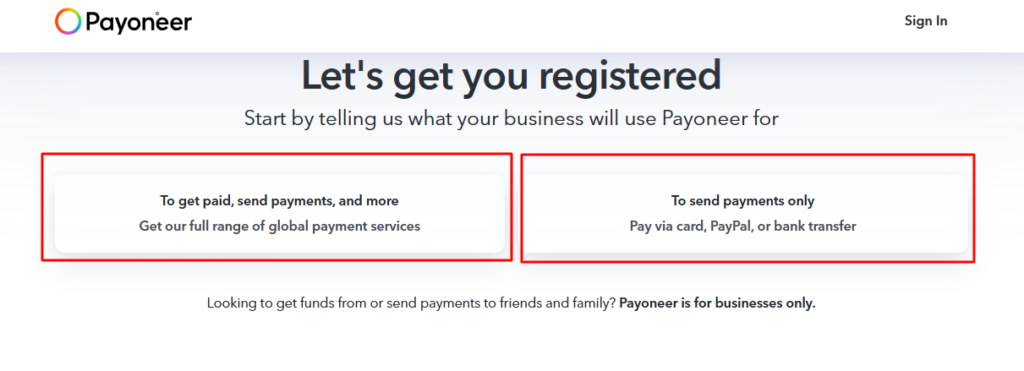
First of all, you need to decide what your purpose is for using Payoneer, whether you want to get paid or send payments from your account. For example, if you need to send payments, then you have to open a Payoneer business account.
With Payoneer’s personal account, you can receive payment.
b. submit email and verification code
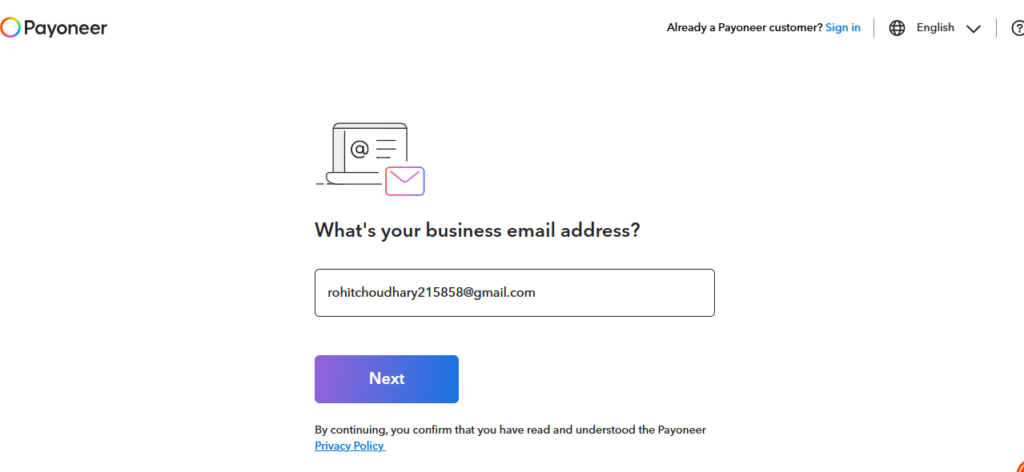
After that, you have to submit your business or any working email and then click on next.
Once, you click on next, you will now have to enter your verification code which will given to you on email.
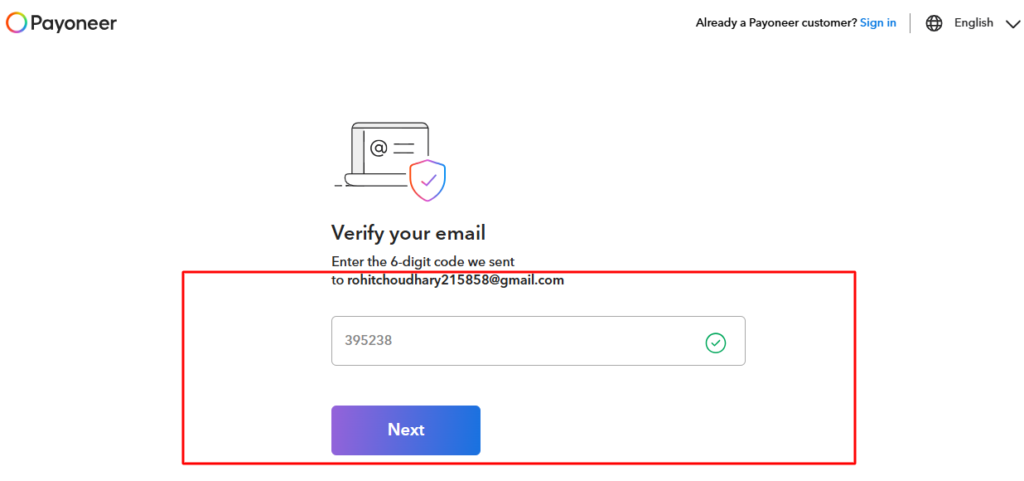
After you enter your verification code, click on next.
c. complete the basic information.
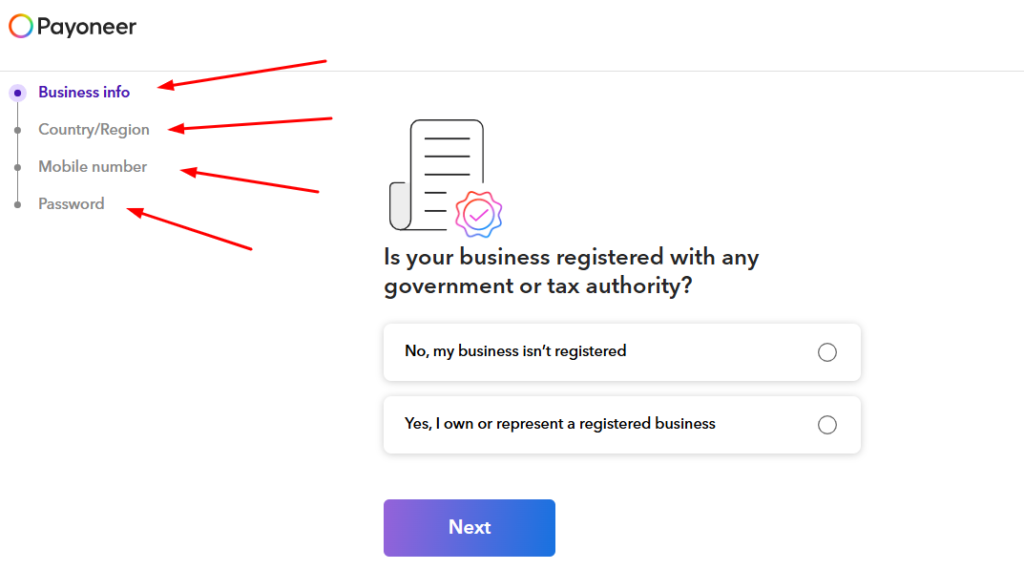
In the next step, you need to fill in the basic information to setup your Payoneer profile. Information like your business name, registration details, country you reside in, your phone number, password and more such information.
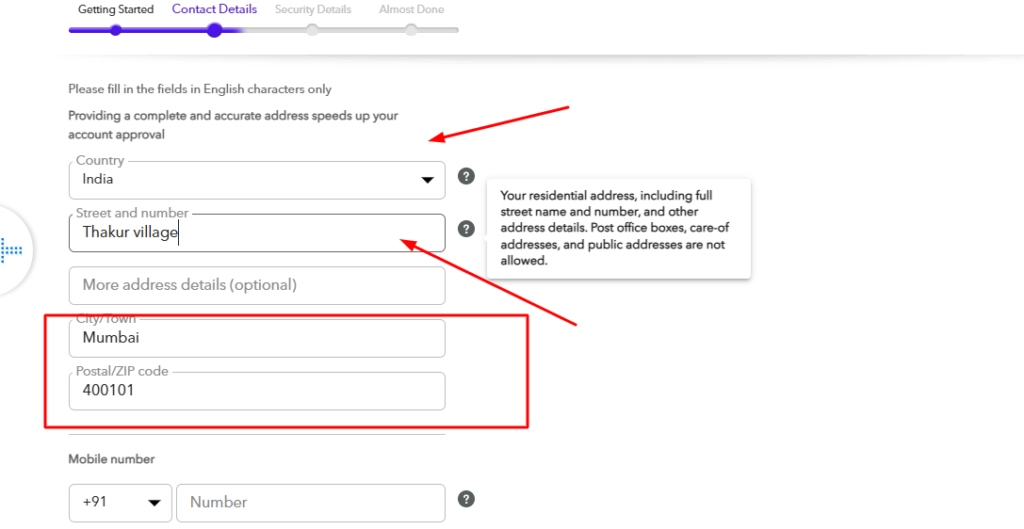
After that, you will need to add few more details like your address, country, zip code and phone number.
Then comes the most important section.
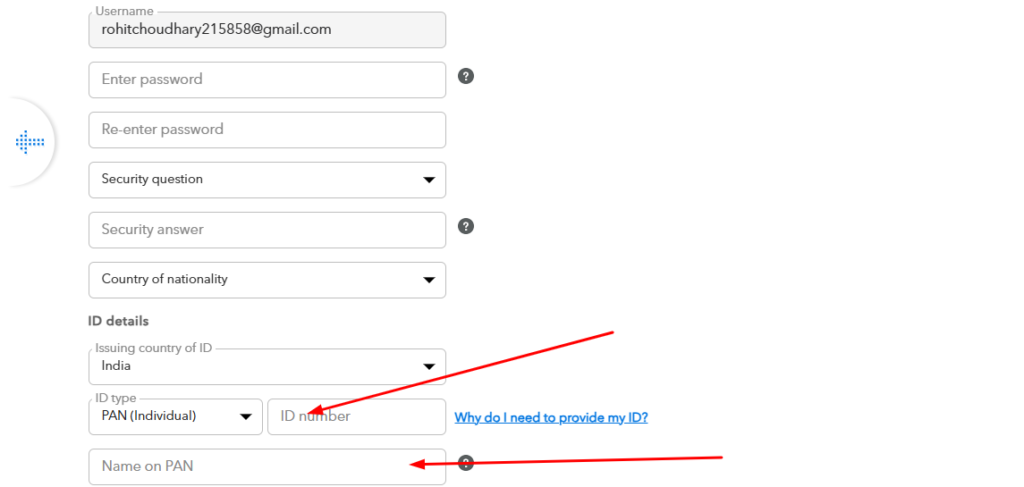
Here you will have to add your government ID details, country and nationality, create your password and create one security question and answer it for the safety of your account.
Once you have completed the process, your account will go under verification, and Payoneer’s team will check all the details you have provided.
Once you have completed the process, your account will go under verification, and Payoneer’s team will check all the details you have provided.
Most likely, your account will be approved and created.
If in any case your account verification is stalled, these might be the reasons: address documents not matching the registered address exactly, documents being too old (must be less than 3 months), business type not matching the declared income source, or country-specific restrictions (Payoneer has different requirements per country).
3. Payoneer fees and pricing
a. Scenario 1:
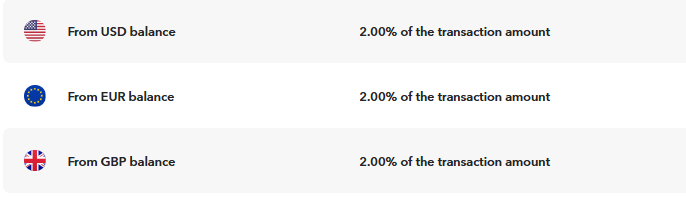
A freelancer from UK wants to get paid $2000 in USD via Upwork and wants to take payment from Upwork. In this case, the receiving fee is free and the withdrawal fee is 2% FX markup, which becomes $40 on the amount of $2000 which is to be withdrawn. An annual account fee of $ 29.95 will be charged if you receive less than $6000 in a year.
b. Scenario 2:
An Indian freelancer making $1000 per month from Fiverr and wants to get paid USD to INR. In this case, there is no fee on getting paid, but the withdrawal fee is 2%, making it $20 per month. An annual account fee of $ 29.95 will be charged if you receive less than $6000 in a year.
Overall, Payoneer will charge around a 2% fee for withdrawing any amount.
c. Annual fee trap
The annual maintenance fee is $29.95 if you receive less than $6,000 in any 12-month period. Multiple third-party sources incorrectly cite $2,000 as the threshold; however, the official Payoneer pricing page states $6,000. New users who receive $4,000 in their first year will be charged $29.95 without expecting it.
d. The free to get paid myth
Getting payments from Upwork is free, but if clients pay you via Payoneer’s payment request feature using either a credit card or debit card, then Payoneer will charge you up to 3.99% plus $0.49. Many users do not realize this and later think Payoneer is charging too much.
5. Payoneer features
a. Marketplace integrations
One of the best features of Payoneer is the marketplace integration with major freelancing portals like Upwork and Fiverr, and e-commerce platforms like Amazon, eBay, Walmart, and Airbnb.
One can use Payoneer for getting payments from these platforms or making payments to someone else. In fact, Upwork has also renewed its partnership with Payoneer in 2026 for international Upwork users.
If you use any of the above-mentioned marketplaces or freelance platforms, then Payoneer is the easiest and quickest payout option. There is no fee for receiving the payment from the above-mentioned sites and marketplaces.
b.Multi-currency receiving accounts
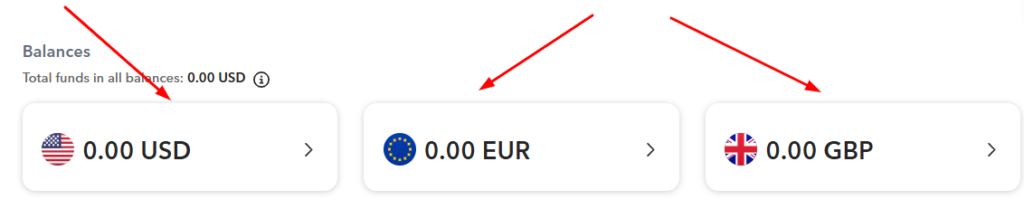
Another good feature of Payoneer is that you can get paid in multiple currencies and then have the money transferred into your local currency. Payoneer will handle the conversion rate and then send the amount to your local bank account safely.
Altogether there are around 9 currencies which you can use to get paid in: USD, EUR, GBP, CAD, AUD, JPY, SGD, HKD, and MXN.
For example, a UK client can pay in GBP into your account as if they are making a payment to a local bank account, and a US client can make a payment in USD via ACH and a routing number which Payoneer will give to you. There are no international fees on the sending side.
This makes Payoneer useful for those who have multiple clients across the globe and want to get paid in different currencies.
c. Payoneer to Payoneer transfers free within the network
Sending money from one Payoneer user to another in the same currency is free.
For any freelancer or agency working with an international client where both use Payoneer, this creates a useful and cost-free way to send and receive money. In case you want to send money to another Payoneer account from yours in a different currency, a 0.5% fee will be charged.
d. Get all transaction details
With Payoneer, you can get all the details of any transaction in your dashboard. You can also download them in PDF or Excel format to check and verify the details of each transaction and the amount that is received or paid.
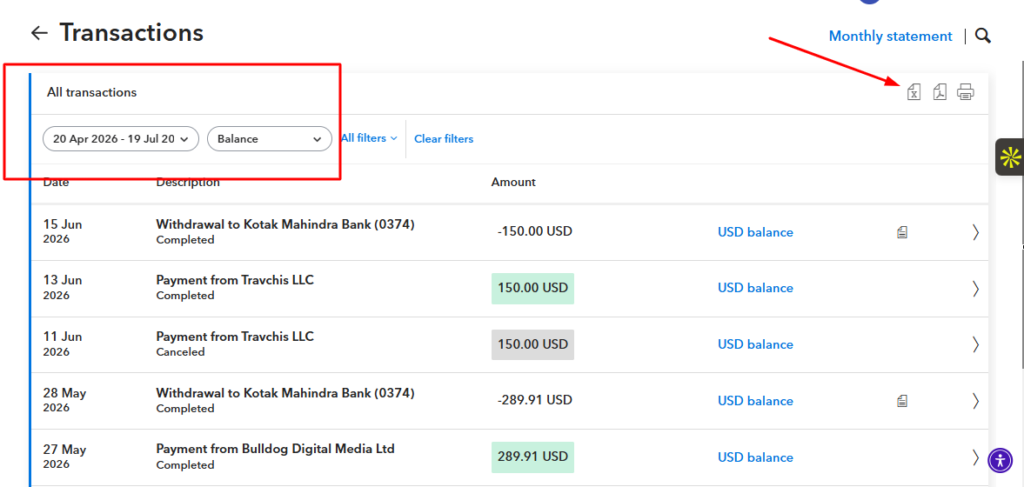
You can also filter the dates and other specific transaction details. Then, on the right side, you can either download the details in PDF or Excel format.
If you get payments from any company or client on a monthly basis, you can also download the details of amounts and transactions.
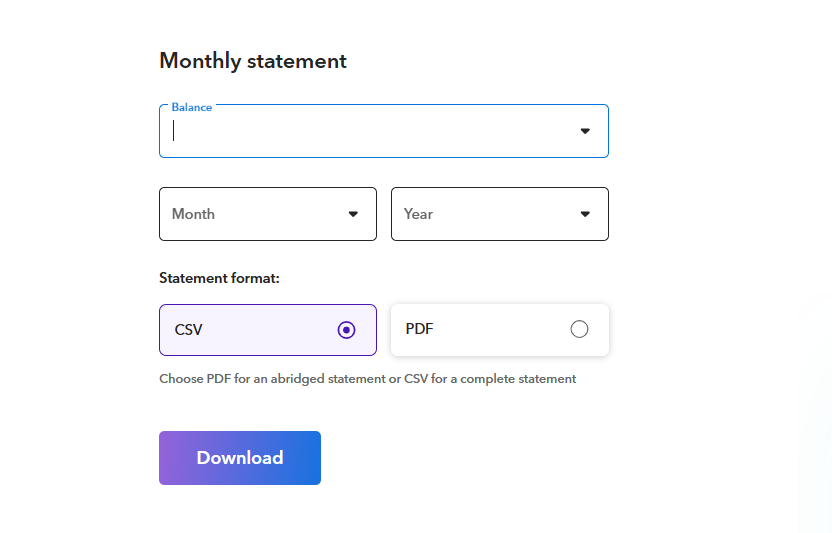
All these features make Payoneer a better option to send and transfer money worldwide with ease.
e. Quick payment links
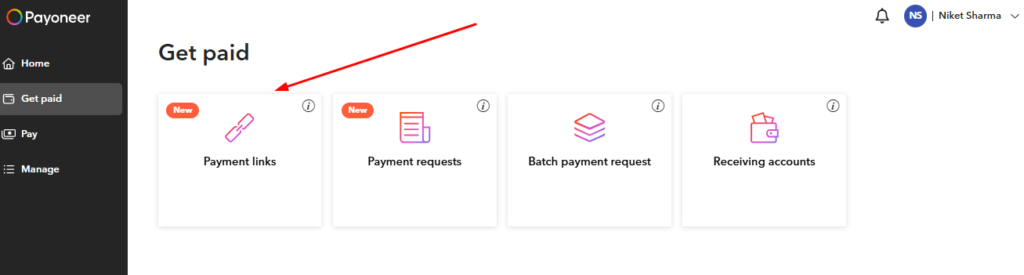
This is my personal favorite feature in this entire Payoneer review.
This feature is especially useful when you want to get paid quickly without entering all the details of the client or customer from whom you want to receive payment.
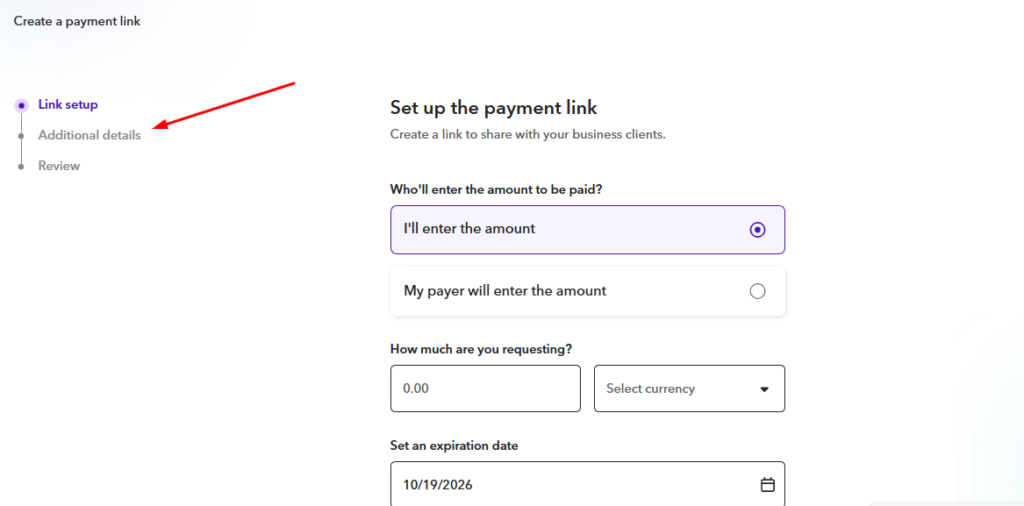
Once you create a direct payment link, you do not need to enter the complete details about the client or customer. Details like services offered, amount to be paid, and expiration date are more than enough.
There is no additional information required, such as the address, email, or first and last name of your client.
f. Invoice generation
If you want to keep proof of payment and services offered for tax purposes, Payoneer also has an invoice generation feature, which is most commonly used.
With an invoice, you will need to have the complete details about the client like the business name, the first and last name of client, complete address with pin code and the email ID.
Payoneer offers two different types of invoice payment options: one is a standard request, and the other is a request with an auto-generated invoice.
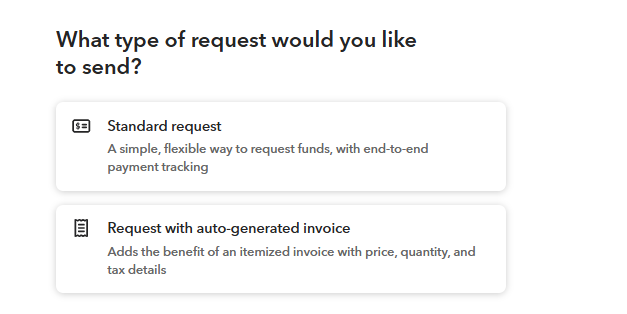
I prefer the standard request as it is quicker and easier to be paid off.
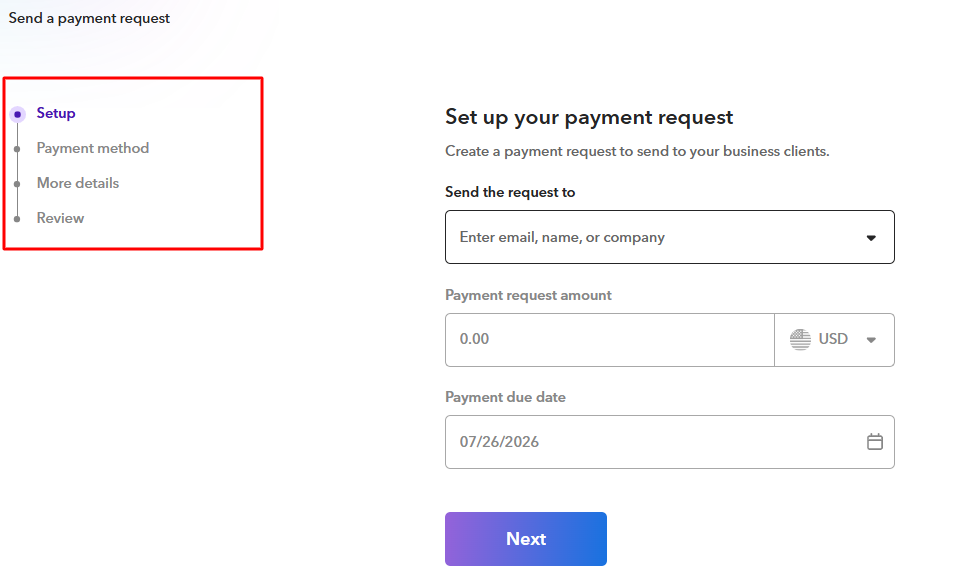
In the standard payment request, you need to enter the email of your client, the payment amount, and the due date. You can also set an option by which your client can make payment via PayPal, credit card, a Payoneer account, or a bank transfer.
g. Batch payment
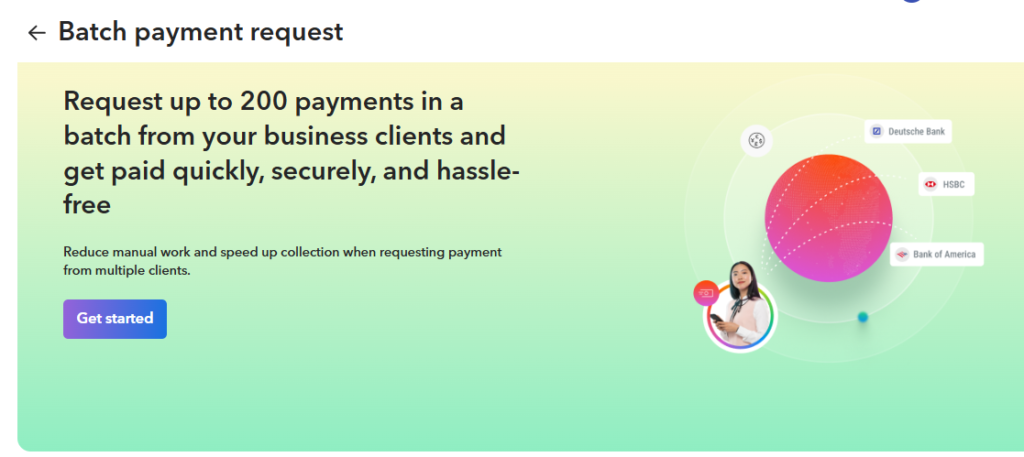
Batch payment is a new feature of Payoneer which I have not yet explored. But as the name suggests, batch payment will allow you to receive payments in bulk from multiple clients and in different currencies.
You can download the empty or pre-created CSV template to fill in the payment details of clients.
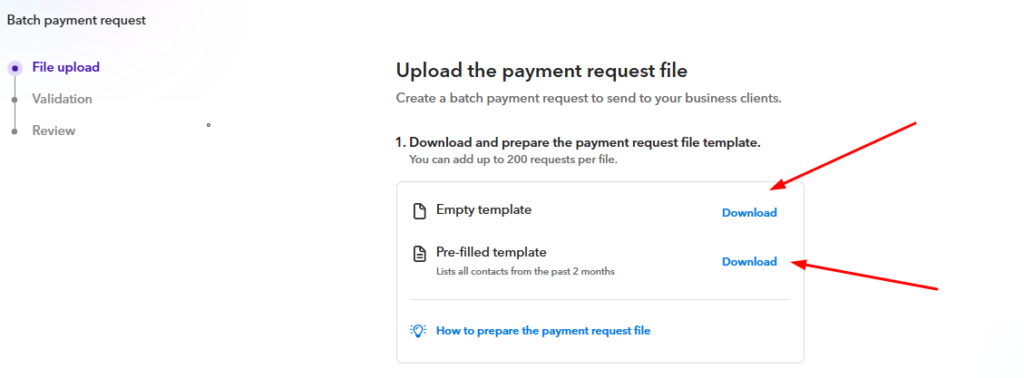
Here is what the CSV template looks like.

You enter basic details like name, email address, company email, amount due, due date, currency, and item description. Once done, you have to upload the file and review all the details carefully.
Once you confirm your funding source and payment details, Payoneer will send invoices to all the clients mentioned in the sheet.
This feature is especially useful if you want to get paid by up to 200 clients at once.
h. Customer support
Payoneer’s customer support is something I would not vouch for. They do not offer live chat, call, or email support to ask any queries or issues related to your account, payments, or money in Payoneer.
They only have community-level support, which works like a Q&A discussion forum, and blogs to read, which makes Payoneer’s customer support quite poor.
They do have some call support for users in the USA, UK, Canada, and other countries, but for users in India and Pakistan, they do not have such support.
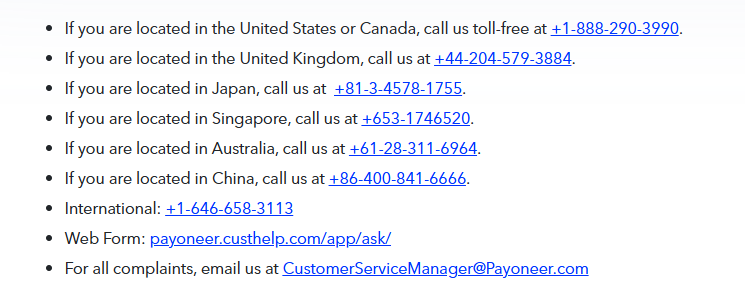
This was the primary reason for me to dislike Payoneer.
i. Account freeze
The most alarming pattern across Payoneer’s complaint database is the frequency and opacity of account freezes. GrowAcross documented 12 compliance back-and-forth exchanges over 60 days during onboarding.
PissedConsumer reviewers describe accounts frozen for months; “frozen accounts and inaccessible funds for months” is cited as the most frequent complaint category.
The 2024 phishing campaign in Argentina (documented by The Record from Recorded Future News) resulted in dozens of accounts being drained. While Payoneer blamed phishing, the speed at which funds were moved before fraud alerts triggered raised questions about Payoneer’s proactive fraud detection.
The critical question for any Payoneer user: what happens to your funds if your account is frozen?
The honest answer from the evidence: Payoneer does not have a clear public timeline for resolving compliance holds, support cannot commit to a resolution date, and funds can remain inaccessible for months during a compliance review.
This risk is most acute for: high-value accounts, accounts receiving unusually large one-time payments, users in certain high-risk countries, and users whose transaction patterns change suddenly.
6. My personal experience with Payoneer
I have been using Payoneer for more than 3 years now, and I can say that it is better than PayPal in certain aspects which we will discuss below. To date, I have withdrawn over $5,000+ through my Payoneer account and had it transferred into my bank account directly.
Here is a snapshot of some of the transactions:
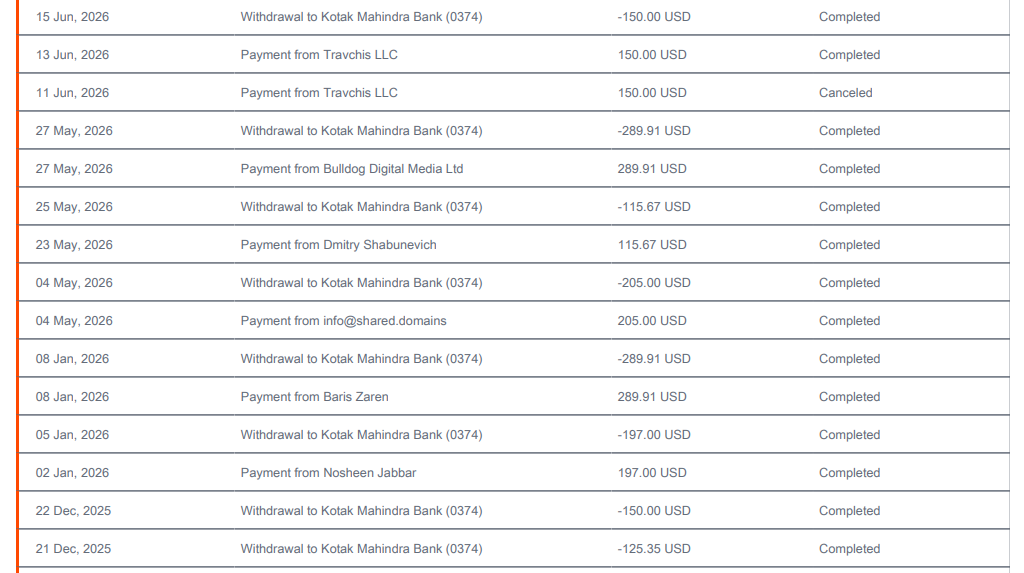
These are only a few transactions as I cannot show all the payment details.
Three things I loved about Payoneer:
a. Quick payment links
This is a feature which I loved the most as it makes it easy for freelancers to get paid without generating an invoice. If your client or payer has a Payoneer account, then you can send them quick payment links with details of services rendered and the amount to be delivered.
Your client gets an option to pay either by their Payoneer account or choose from other methods as well.
b.Safety and security
The safety and security of Payoneer is top-notch.
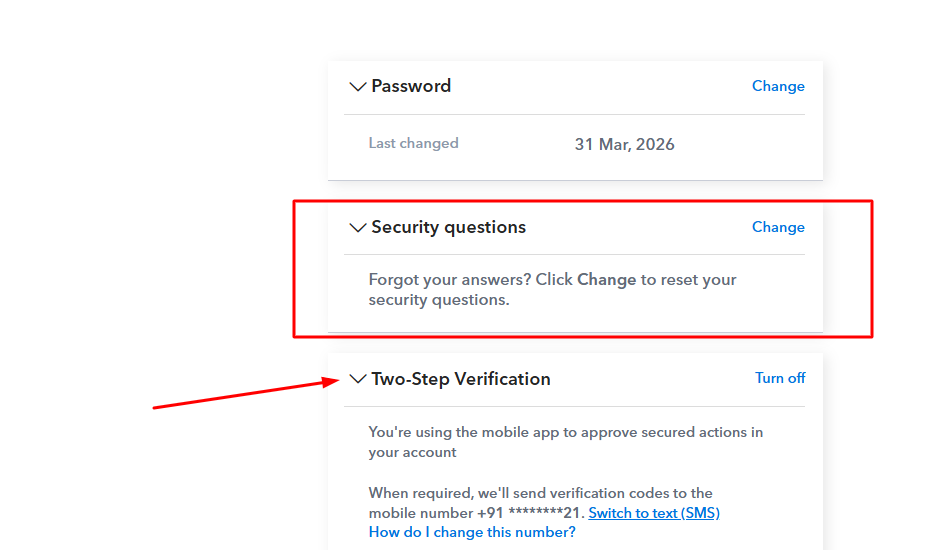
Your account will be 100% protected by a strong password, security questions, and two-step verification, which adds an extra layer of protection to your account.
For example, whenever you try to log in to your Payoneer account, you will also have to enter the code that you get on your registered mobile number.
c. Mobile application
Payoneer is handy and you can use it from your mobile phone by downloading the application. Although the mobile app is somewhat outdated, it is useful for tracking payment links, invoices, and generating payment requests.
Three things I hated most about Payoneer:
a. Poor customer support
The customer support of Payoneer is the worst.
They do not have live support, an option to raise a ticket, or call support in many regions. Email and call support are only available in select countries, and others are left behind to suffer.
For support, users only get blogs to read, which are often of no use, and they can ask their questions in the community forum and wait for someone to respond. To put it simply, Payoneer’s support is broken.
b. Small market share
The market share of Payoneer is very small compared to its competitor, PayPal. A very small percentage of people use Payoneer, and it is quite possible that your clients might not use it.
In this case, you will need to use some alternative payment method by which your client can pay you.
c. Requests for silly documents every time
Another issue with Payoneer is that they keep asking for documents for account verification every now and then.
This makes me frustrated as I don’t have time to follow the verification process every time. Even after getting the account fully verified, Payoneer might still ask for some sort of government ID or document.
7. My largest payment
My largest payment from Payoneer was around $300 or more, which i got by offering SEO and link-building services to a client from UK.

The payment amount was $310 and I got around $289 in my bank account; the rest was cut as the commission to Payoneer which is around $20 or more.
The commission which Payoneer charges is quite decent and nominal as compared to other online payment platforms.
8. Will I recommend it to others?
Yes, I will surely recommend others to use Payoneer, especially users of India and Pakistan where online payment platforms to receive funds from other countries is very limited.
Also, PayPal is not available in Pakistan and in India, users have to go through complex account opening process of PayPal, which is a nightmare for many.
Payoneer is easy to use and an account can be created with limited documentation and paperwork.
By keeping all these things and the above-mentioned features of Payoneer in mind, I would surely recommend others to use Payoneer over other online payment portals.
9. Honest Payoneer review summary:
I am a big fan of Payoneer because it does not have problems like PayPal of account getting restricted and poor customer support.
In fact, in June 2026, Payoneer was acquired by Nuvei for a record-breaking deal of $2.75 billion, making it more legit and unbeatable platform to get payouts from Upwork, Fiverr, Amazon and other platforms.
The KYC is quick and once your account gets approved, it will stay up and running for life, until and unless you do not make some mistake.
10. What real users say about Payoneer?
a. Reddit Payoneer review
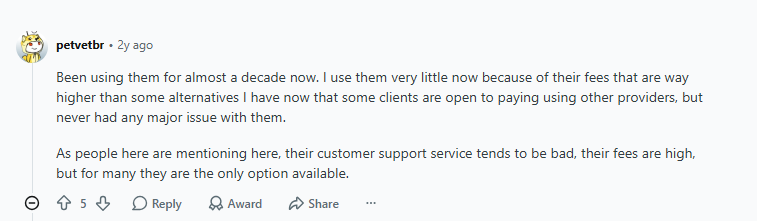
The Reddit reviews of Payoneer are more on the positive side where users are highlighting the smooth functioning of the platform.
Many users are using Payoneer for more than 10 years now and have reported no issues. Some of them did mention the high commission fee on payment transfers, but overall Reddit review of Payoneer is good.
b. Trustpilot reviews
Payoneer has got 3.8/5 reddit,+ verified reviews on Trustpilot, making it truly reliable payment company. Positive Payoneer reviews of users are related to fast payment processing, easy to set up and life long account up and running.
There are some negative reviews regarding accounts getting frozen with no explanation, no customer support, no live chat, no dispute resolution process and no option to get a refund once the payment is processed.
c. Smart consumer
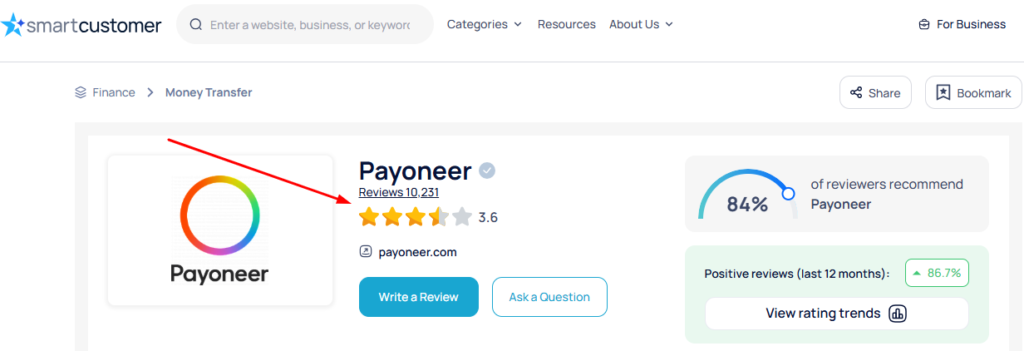
Payoneer has 3.6 rating out of 5 from more than 10K reviews on Smart Consumer. It has a decent rating and review count than most of the platforms and more granular complaint documentation.
Majority of users have appreciated Payoneer for its simple-to-use interface and quick account opening process. Only a handful of users have mentioned negative reviews regarding account getting frozen and high commission rates.
d. GetApp
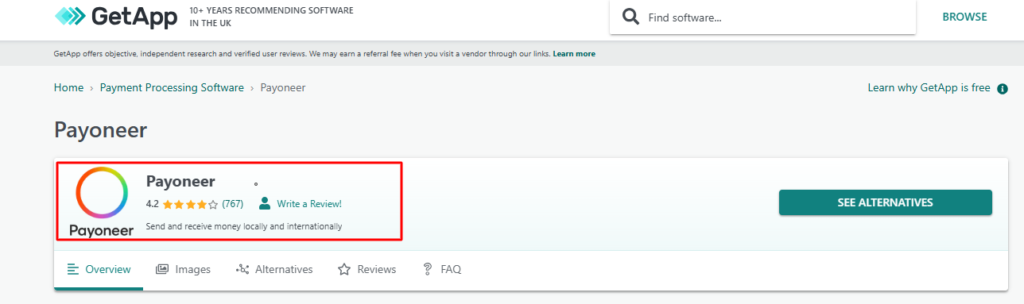
Payoneer reviews and ratings on GetApp is amazing.
it has a high score of 4.2 out of 5 from more than 1000+ reviews of real users. Users who truly understand the payment platforms have mentioned about the quick transfer of money, two factor authentication by Payoneer, a simple-to-use interface and batch payment option to make payments in bulk.
Of course, there are some negative reviews as well, but they are very less as compared to the number of positive reviews from users.
e. Pissed Consumer
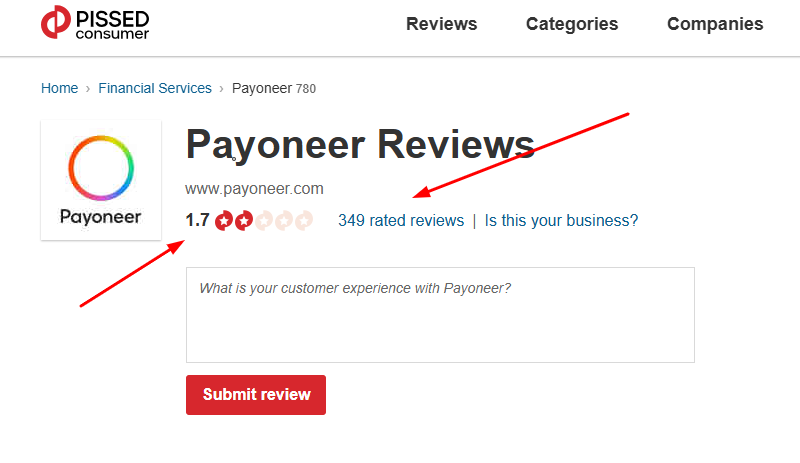
779 reviews, predominantly negative: Captures the worst-case experiences. Account frozen since January 2026 with funds inaccessible for months. Compliance reviews with no communication timeline. The cases here are real — but represent a minority of users who experienced the worst-case outcomes.
11. Final verdict
Use Payoneer get paid quickly from your clients based in USA, UK and other foreign countries where Payoneer is the first choice of making payment.
For these reasons, there is no other free alternative that charges less or no commission on getting payment from international countries. Also, if you are based in India, RBI has authorized making Payoneer more Indian specific than ever.
Do not use Payoneer as your only way to get payment from international countries.
The account freeze risk to high. Hence, always maintain another account on Wise or PayPal. You can use Wise for cross currency spending, direct billing and any transactions where you control the payment method.
12. FAQs about Payoneer reviews
Is Payoneer good for freelancers?
Payoneer is excellent for freelancers who receive from Upwork, Fiverr, Toptal, or other marketplaces where it is the native payout partner receiving is free and arrives quickly. For direct client billing, Wise is almost always better value because of lower FX fees. The recommended setup: use Payoneer for marketplace payouts, Wise for direct client payments, and never rely on Payoneer as your only account.
How much does Payoneer charges?
Receiving from Upwork/Fiverr/Amazon is free. Receiving via credit card payment request costs up to 3.99% + $0.49. Receiving via ACH costs 1%. Same-currency bank withdrawal costs $1.50 flat. Cross-currency withdrawal costs 1.2–4% above mid-market the biggest cost for most international freelancers. Annual fee is $29.95 if you receive less than $6,000 in 12 months. ATM withdrawal is £1.95/$3.15 per transaction.
Why does Payoneer account gets freeeze
Common documented reasons: compliance review triggered by unusual transaction patterns, KYC verification issues (expired documents, address mismatch, business type inconsistency), receiving funds before verification was complete, or sudden large payments outside your normal volume. If your account is frozen, email support@payoneer.com immediately with your account ID, follow up every 48 hours in writing, and escalate to the formal complaints process if no substantive response within five business days.

Niket Sharma is an SEO specialist, SaaS expert, and freelance content marketer with over 5 years of experience in SEO, blogging, and digital marketing. Through this blog, he shares practical insights, proven strategies, and real-world experiences to help businesses and readers improve their online presence, rankings, and content marketing success.